RF diagram
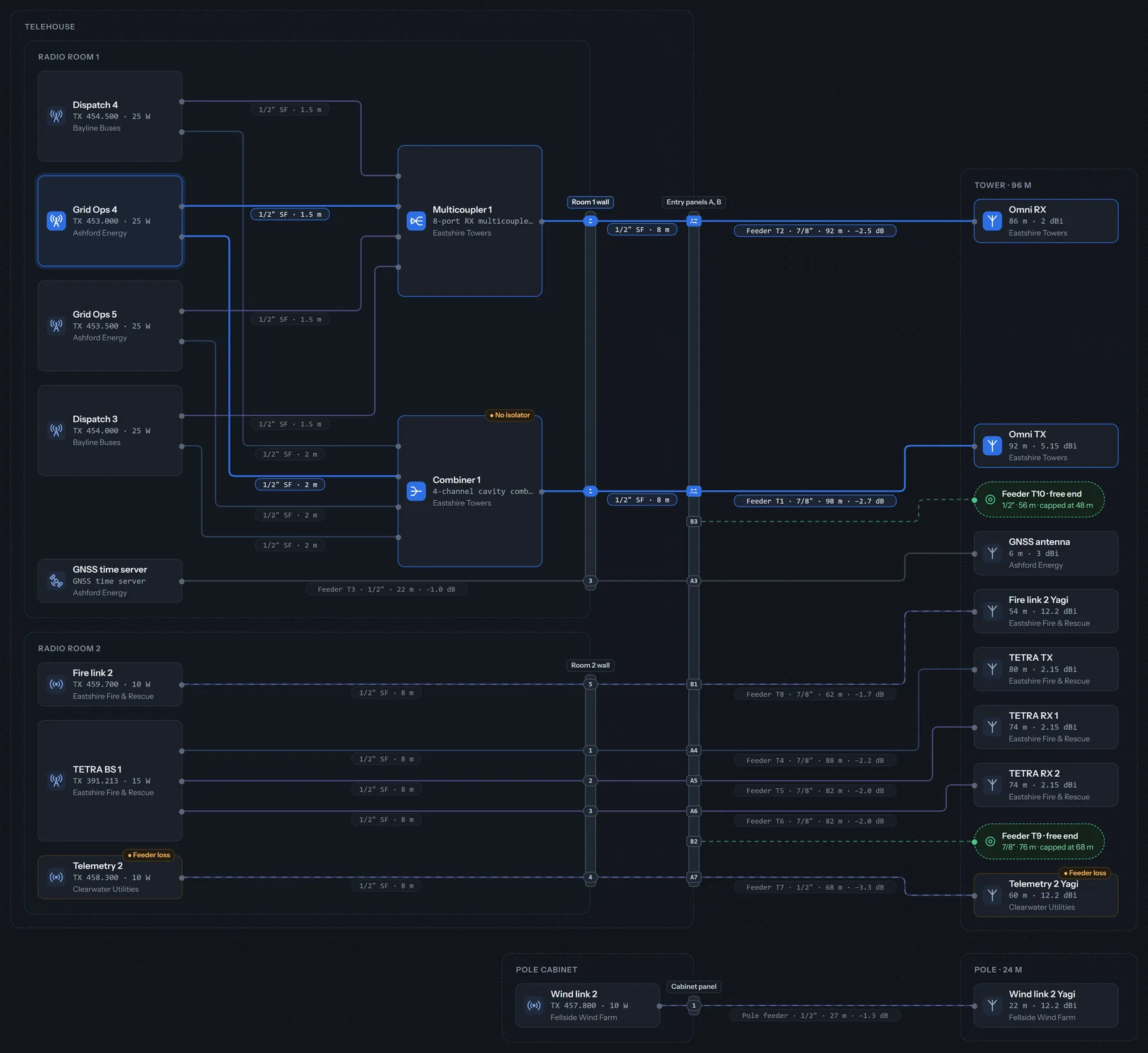
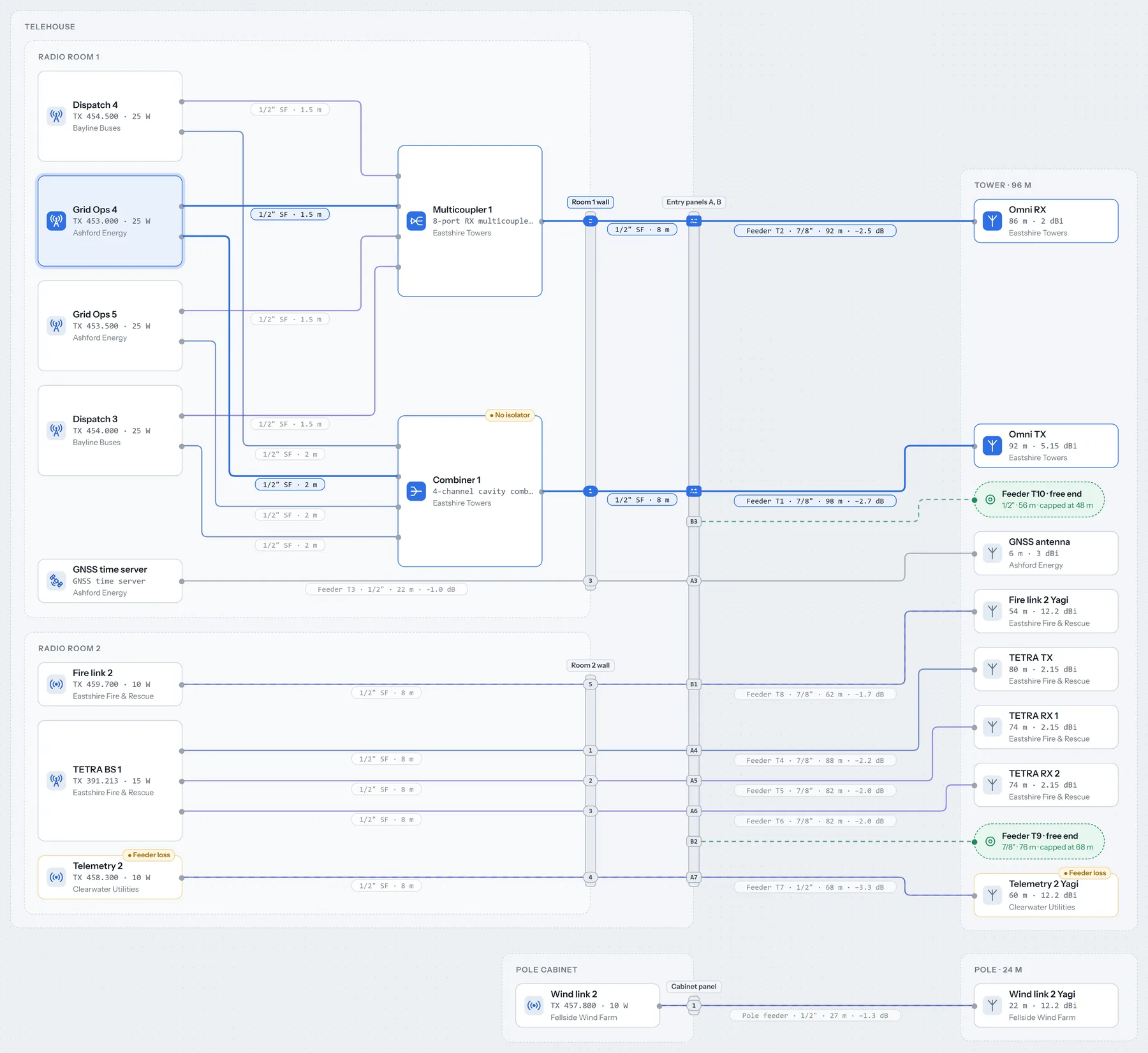
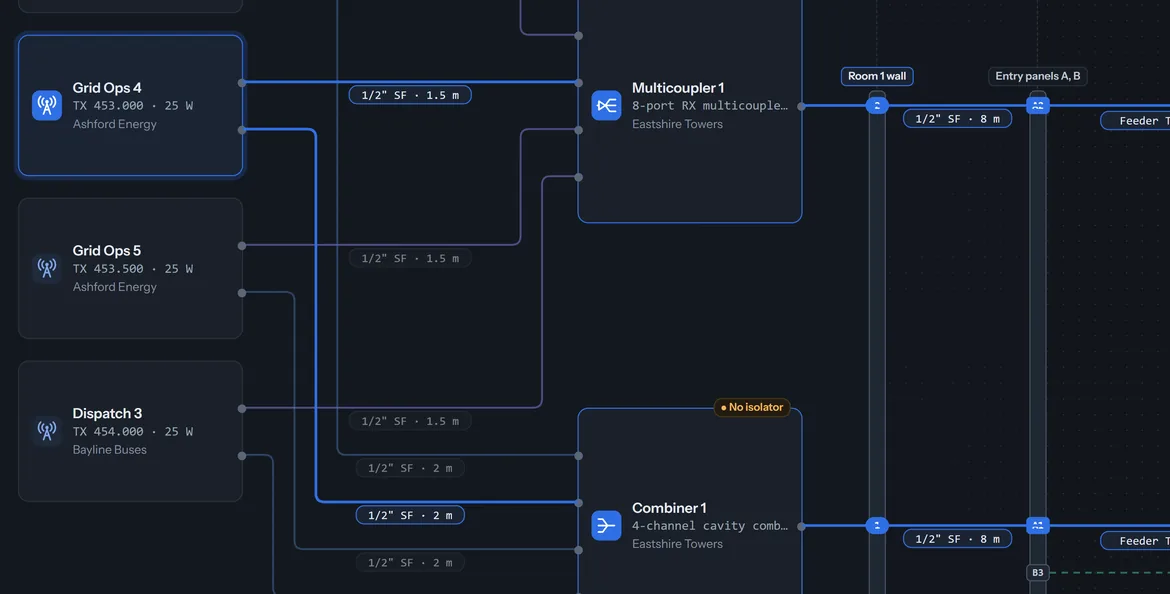
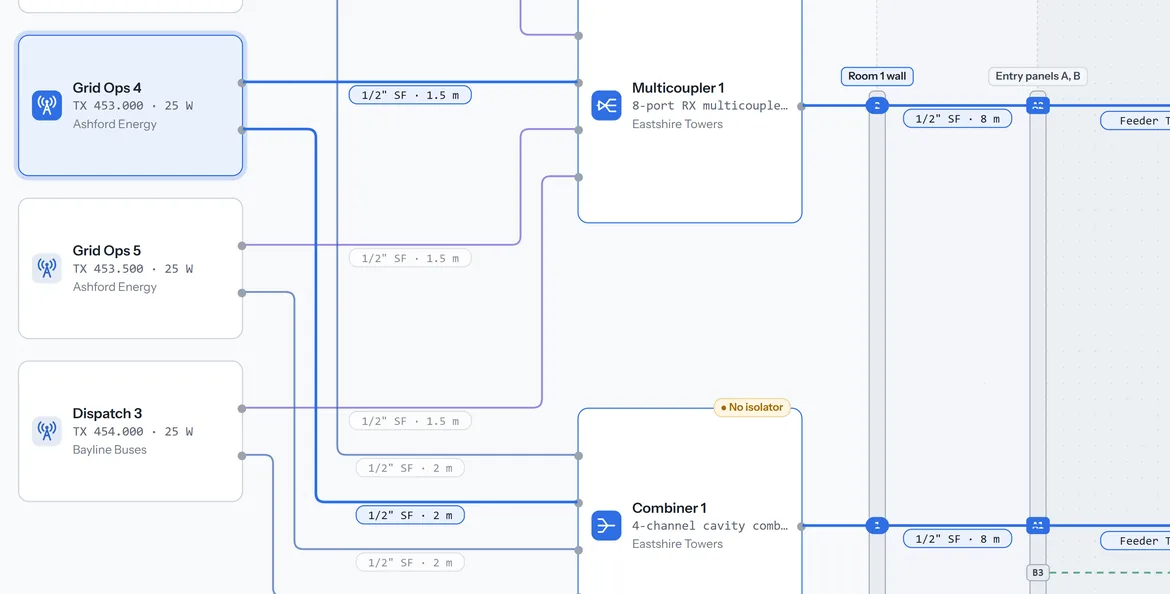
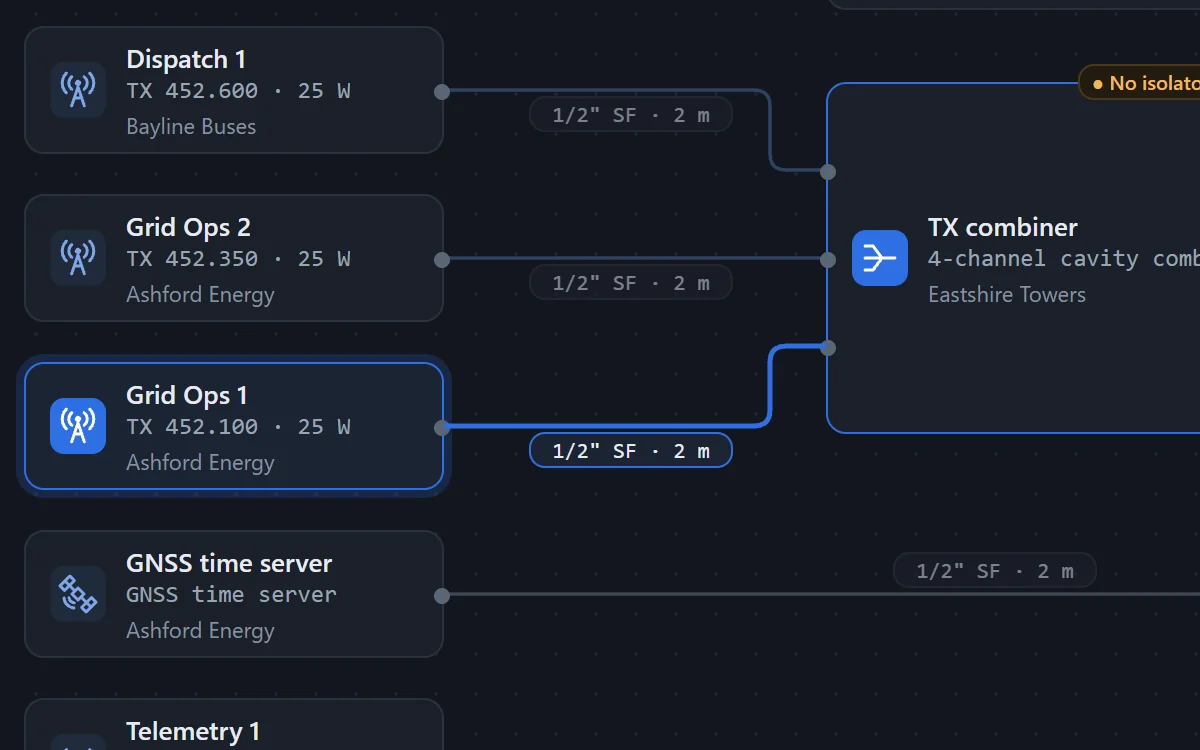
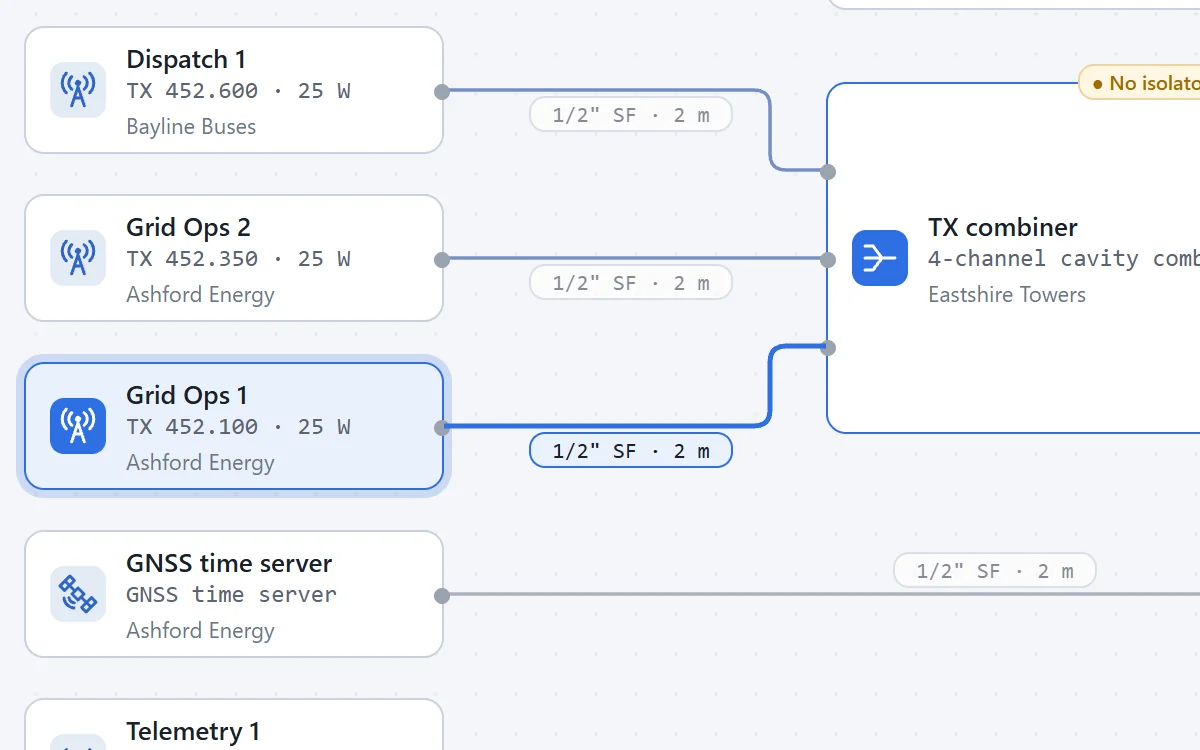
Drawn from the equipment and cables you enter. TX, RX and shared feeders in their own colours, every hole in the wall numbered. Click a radio for loss, connectors, EIRP and delay along its path.
Towers, rooftops, tunnels, shelters, racks and every cable between them. SiteGraph draws the RF system from what you enter and works out loss, EIRP and warnings for each path. Tower owners and their tenants keep one site up to date together.
No sign-up. Look around a demo company with five sites and change what you like: it resets every 30 minutes.
Enter the site once. The views, numbers and warnings follow from it.
Drawn from the equipment and cables you enter. TX, RX and shared feeders in their own colours, every hole in the wall numbered. Click a radio for loss, connectors, EIRP and delay along its path.
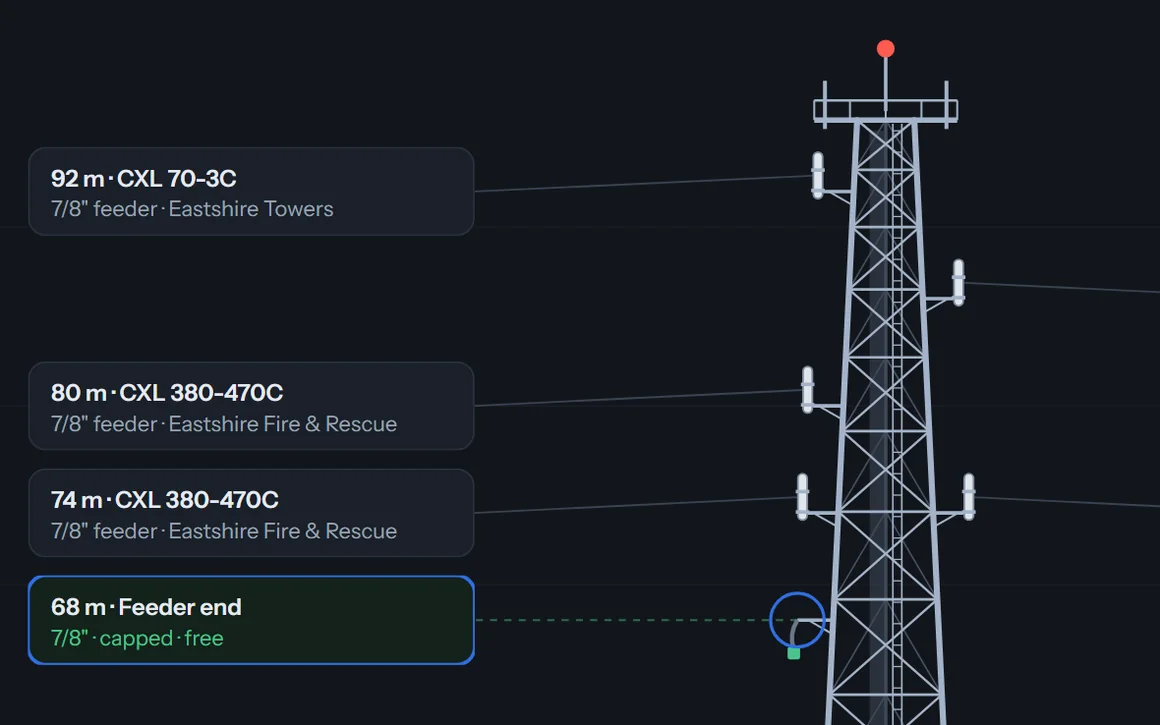
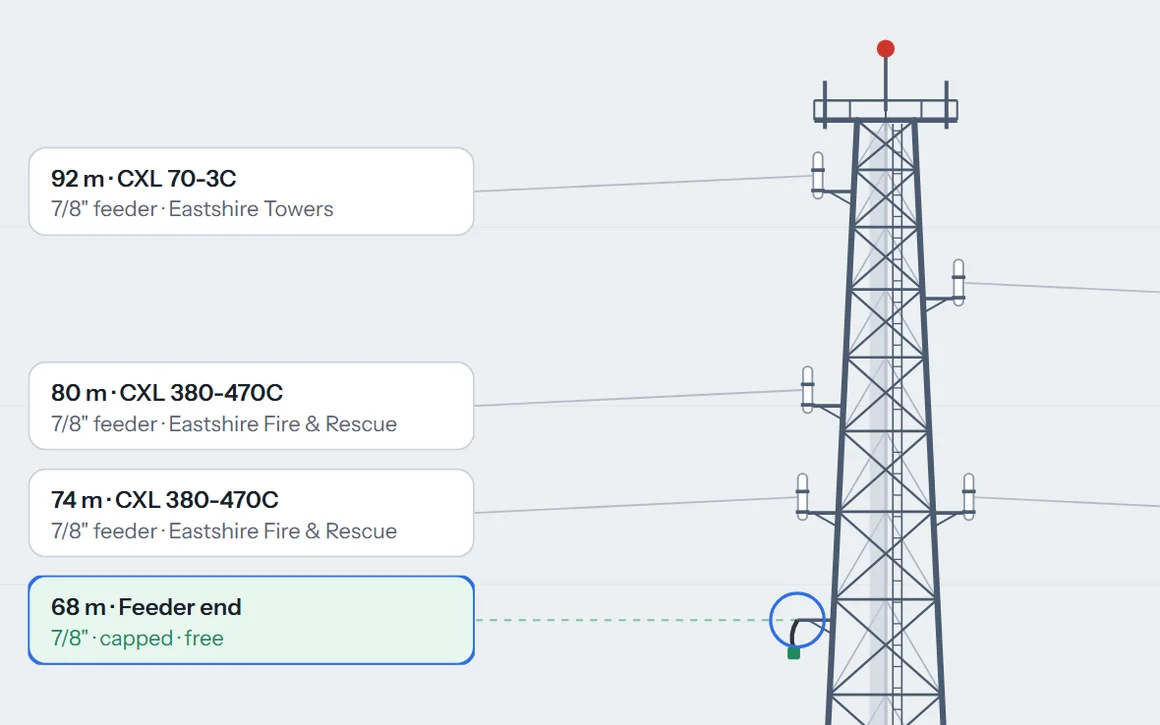
Positions by height and leg, free feeder ends, reservations for tenants and the wind load against the rating. Plan a new antenna on a free position.
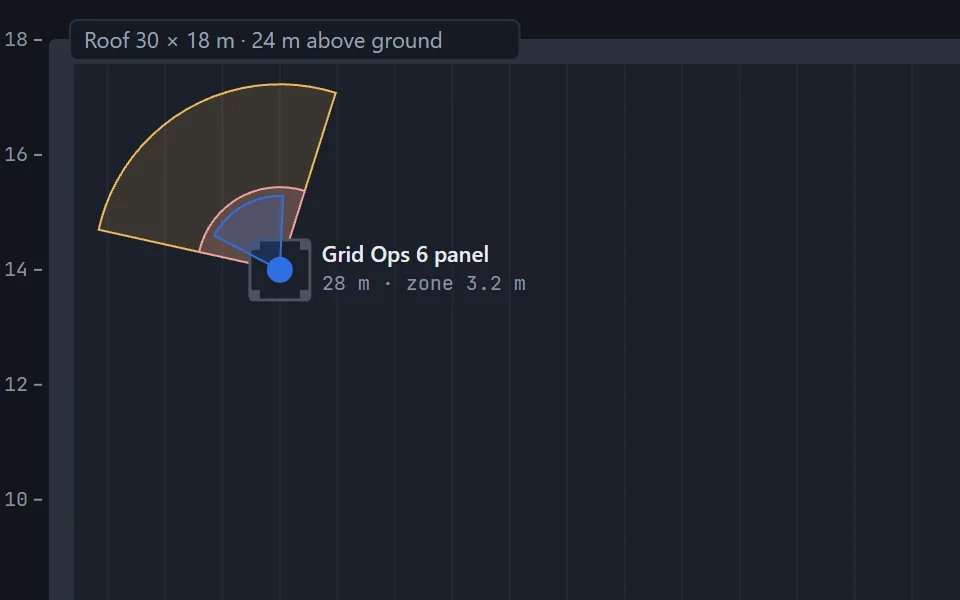
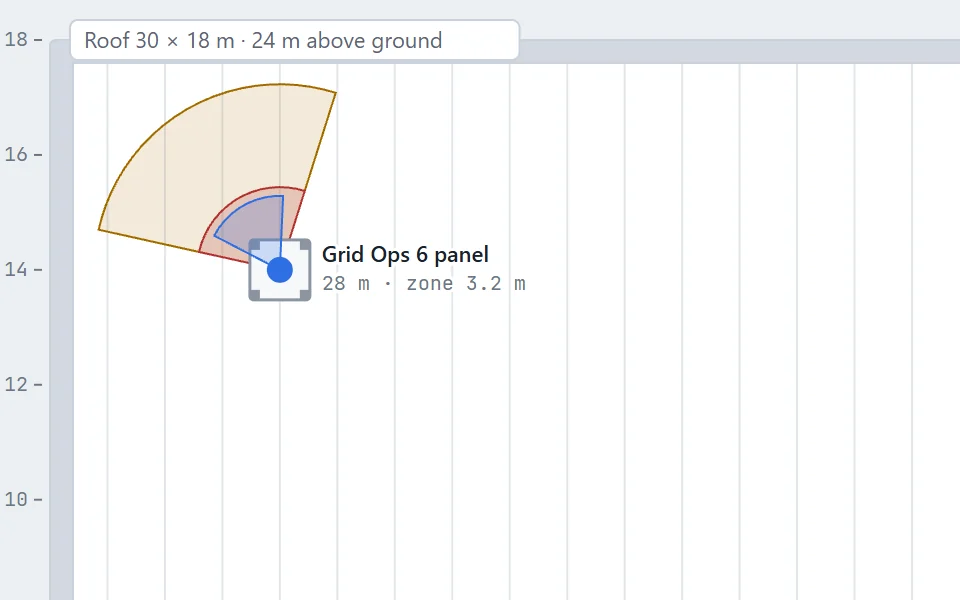
Antennas on the roof plan with their beams and RF exposure zones for the public and for workers. Drag a position to move it.
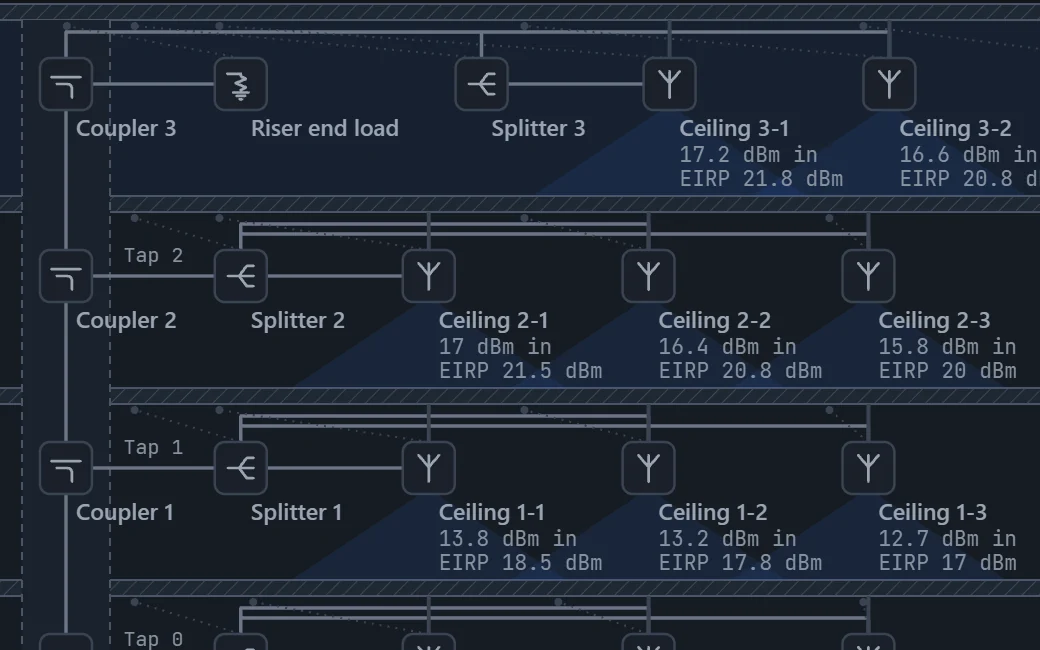
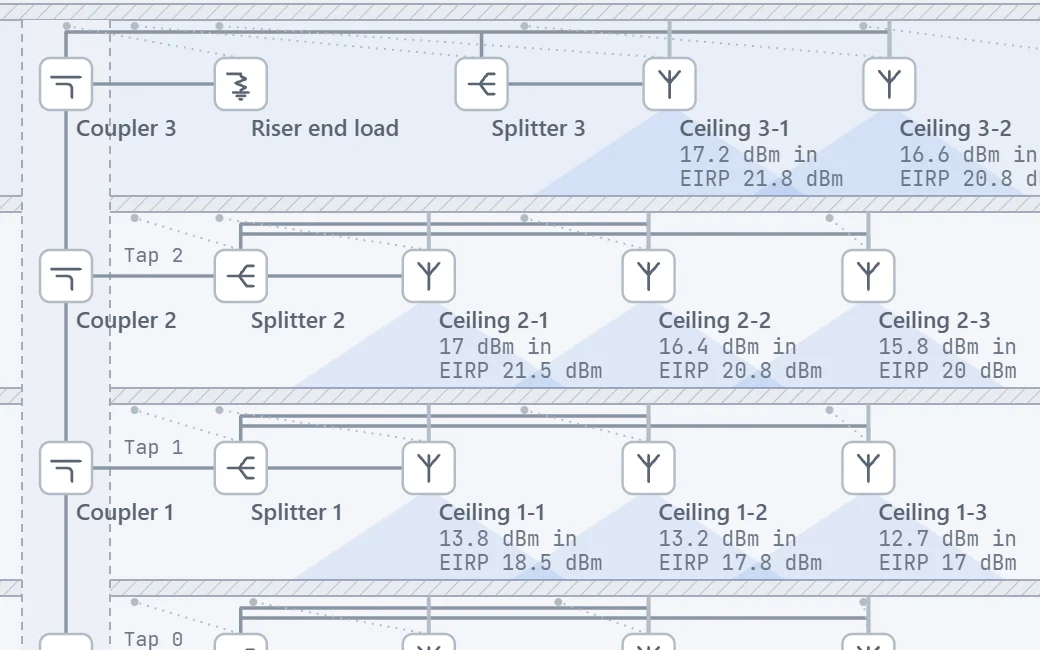
The building in section, floor by floor: power into each antenna and its EIRP, and the downlink level on every floor plan.
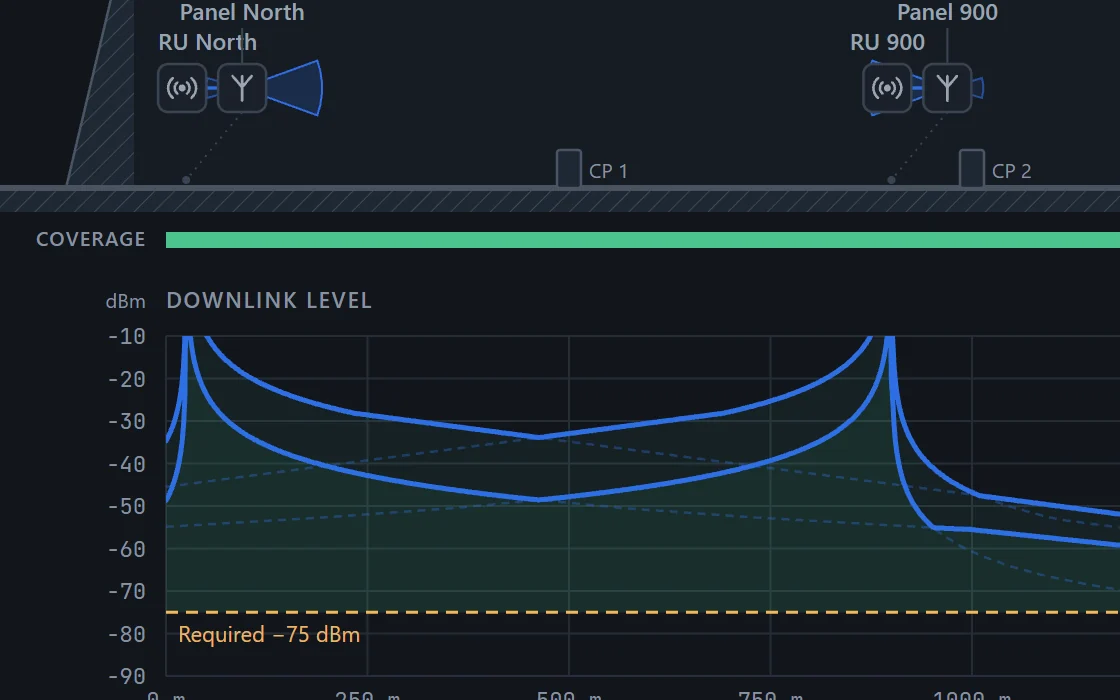
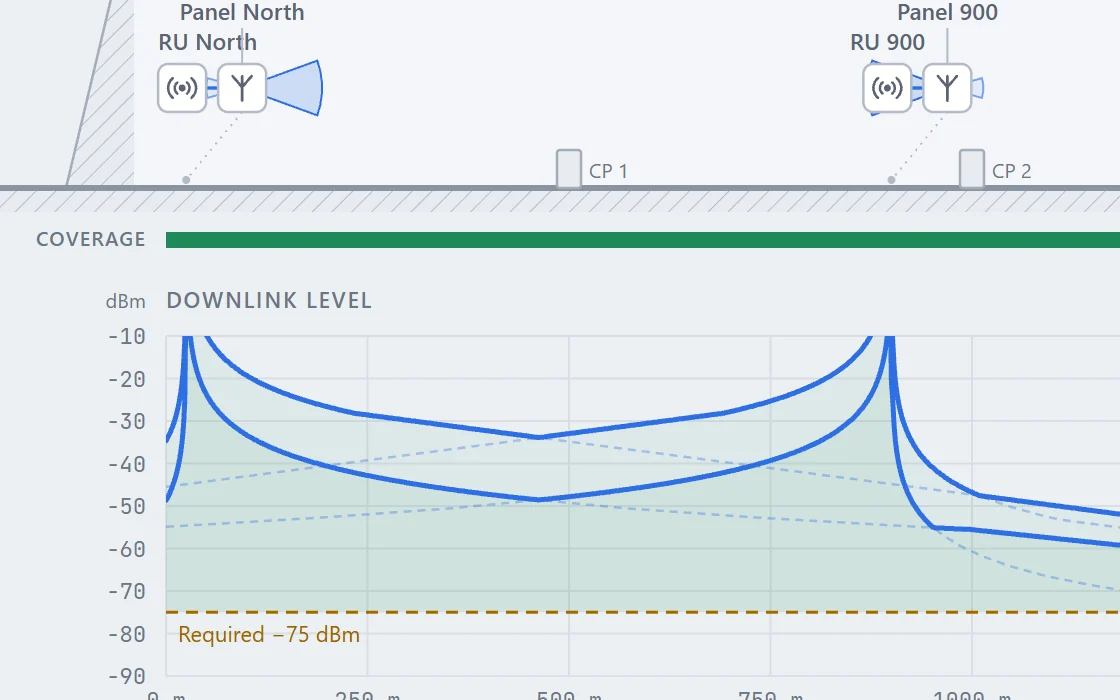
Radiating cable and antennas along the tunnel, and the downlink level from portal to portal: where it drops below what you need.
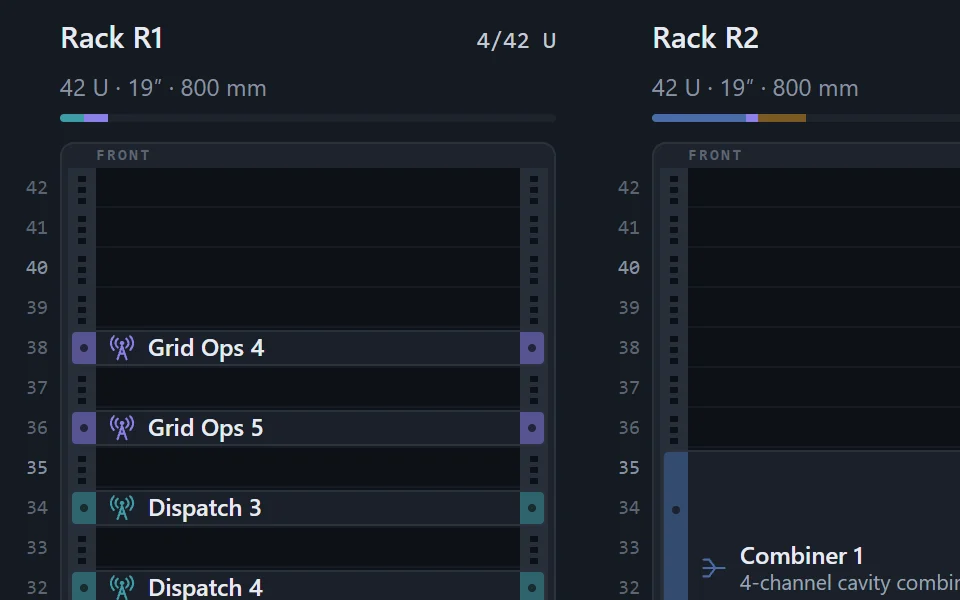
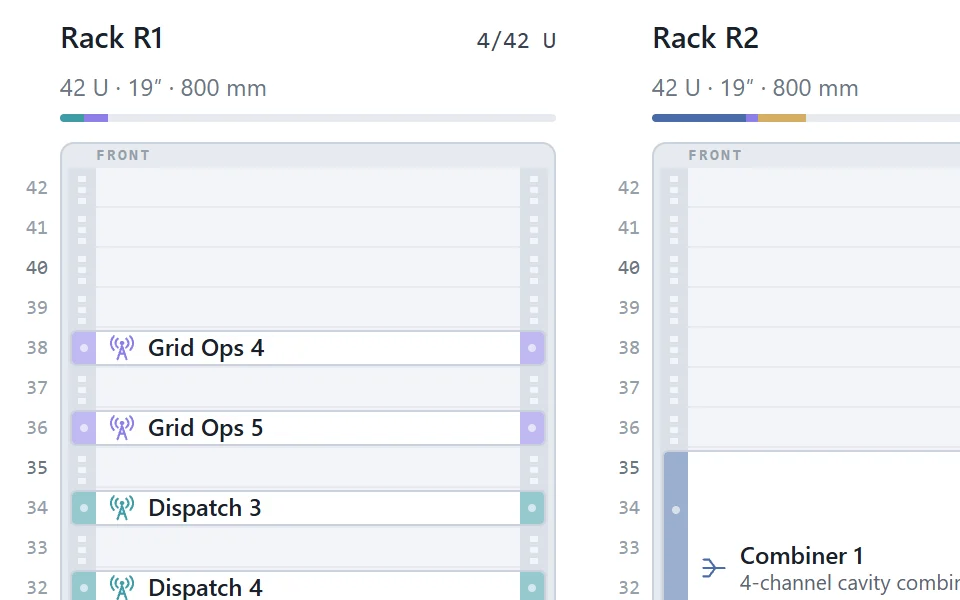
Every rack unit by unit, owners in colour, reserved units and leased racks. Click a free unit to add equipment there.
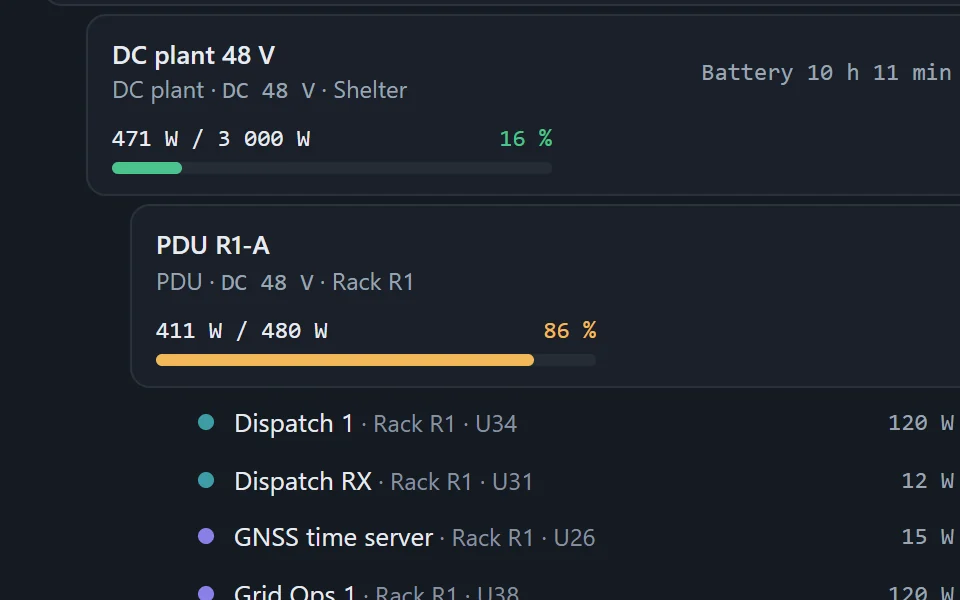
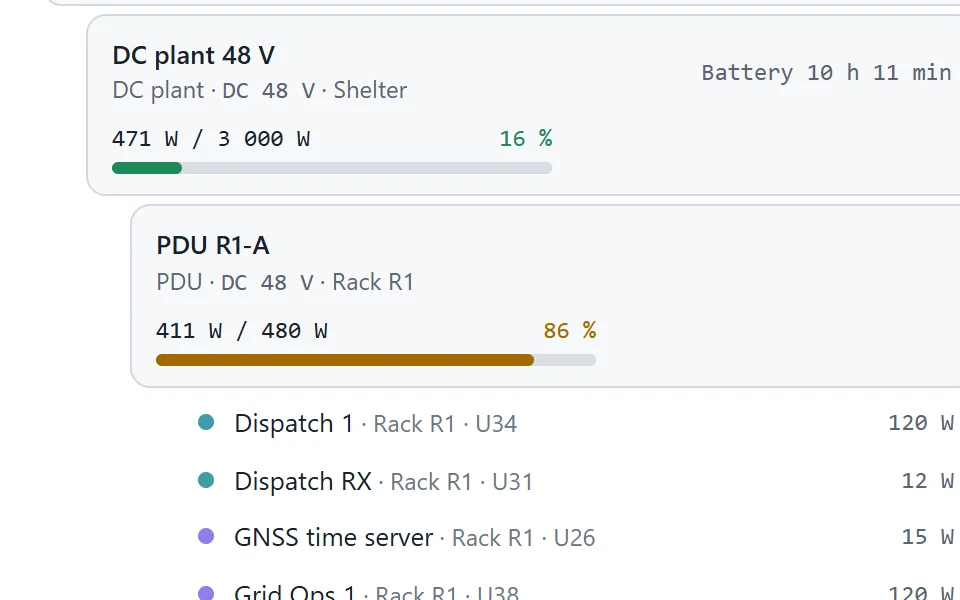
The power tree from grid to PDU: load against each limit, UPS and battery backup time, and energy per tenant.
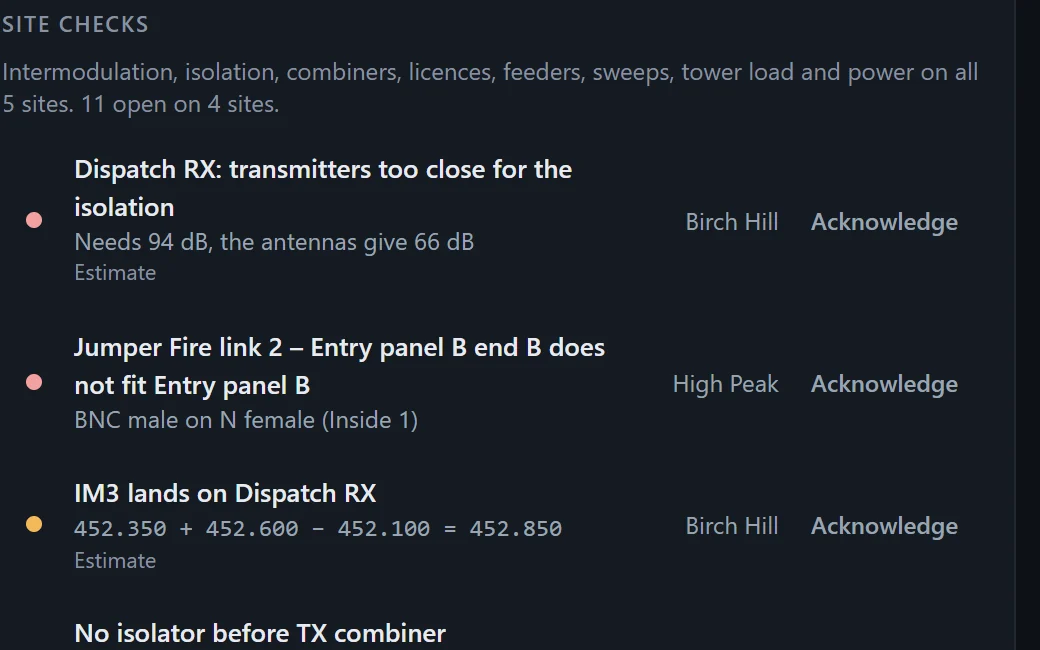
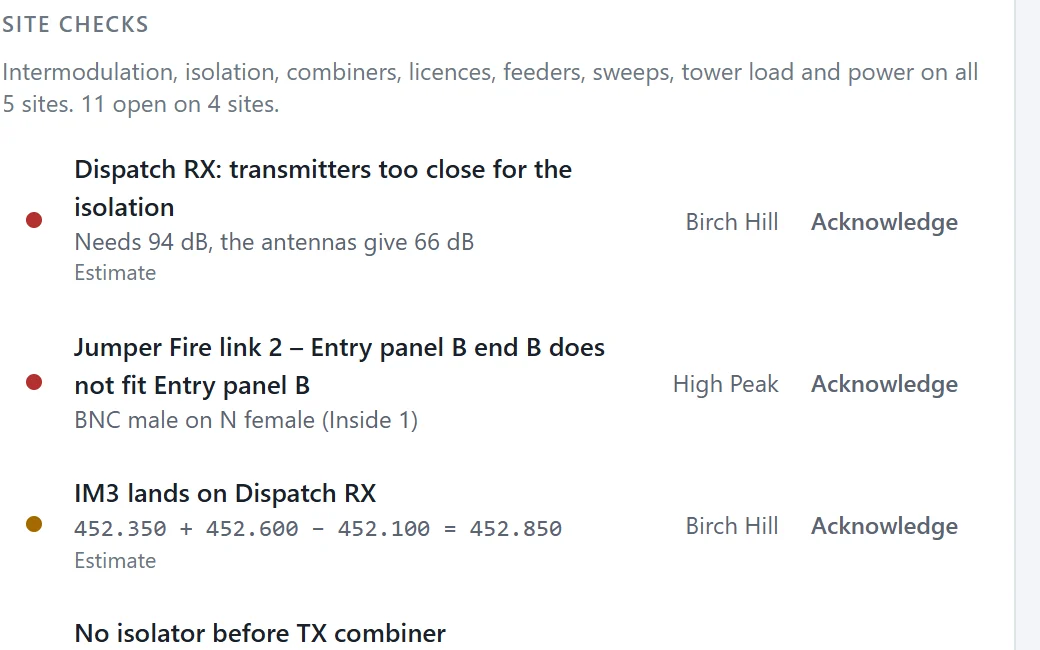
Intermodulation, TX–RX isolation, isolators, feeder loss, licence limits and sweeps. One finding per cause, with the numbers and what to do.
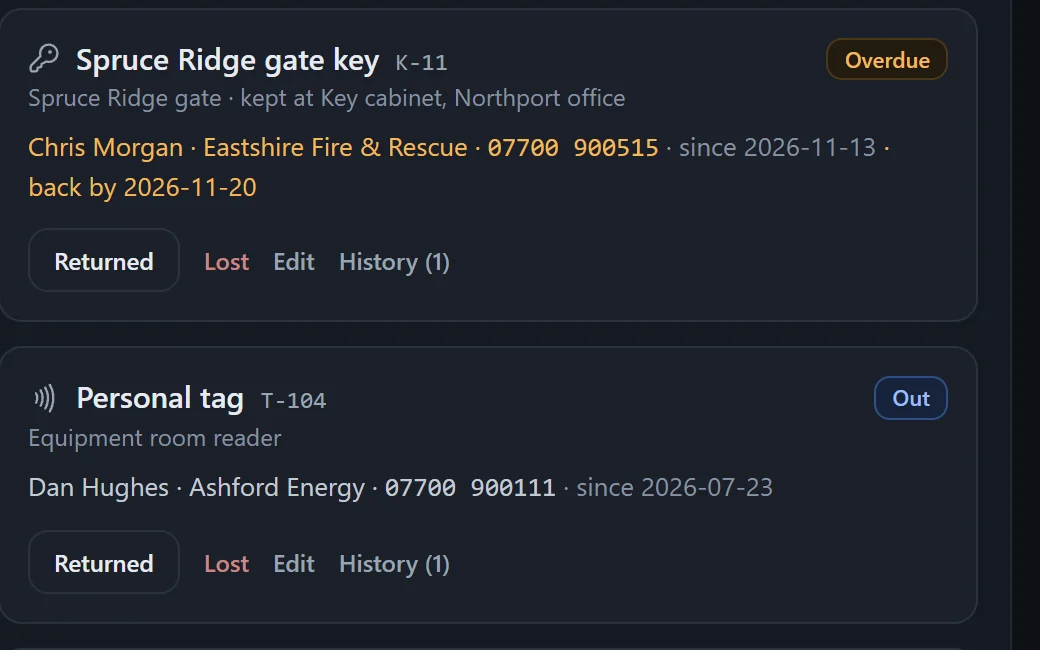
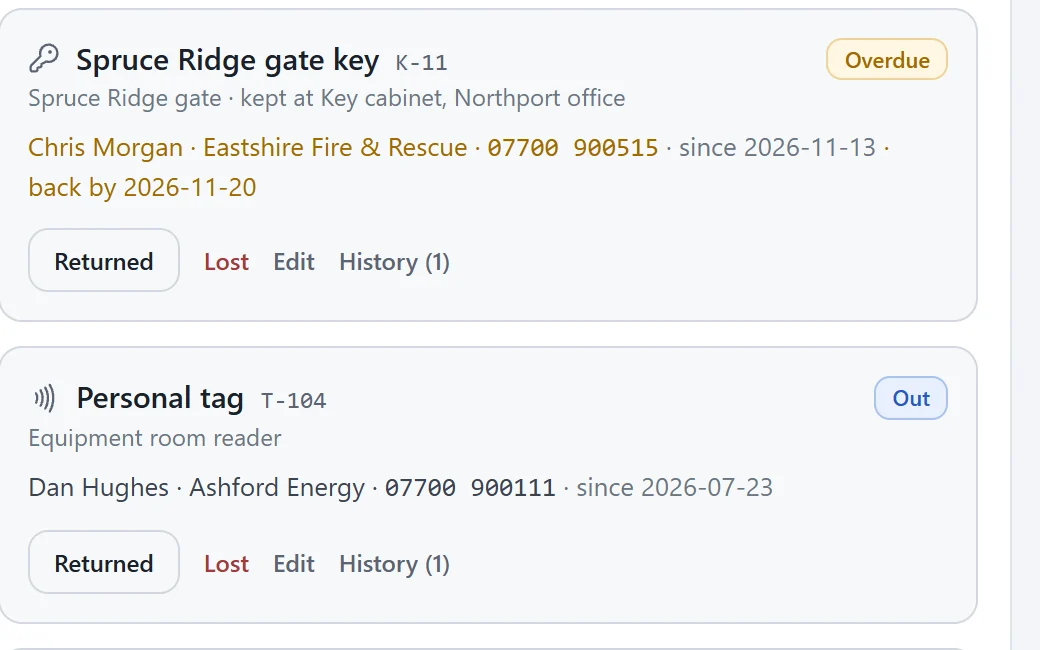
Keys, access cards and tags: who has which, and when it is due back. Lost cards to block, personal and time-limited codes, every code view logged.
Whether each cable end fits, adapters, torque and weatherproofing. Outdoor joints come back when due.
Permits, drawings and sweeps in folders, linked to the tower, rack or cable they are about.
Real repeaters, antennas, combiners and cable curves, ready to use or copy and change.
Frequencies, ERP, antenna height and bearing, checked against what is on the site.
Invite a tenant's staff with a link. Tenant logins are free.
Units a tenant adds wait for your approval, if you want them to.
Overdue keys, ending reservations and units to approve, on the dashboard.
Ctrl K finds sites, equipment, frequencies, tenants and documents.
Shelters and rooms, racks, towers and mount positions. Reserve units and positions for the tenants that are coming.
Invite a tenant with a link. They log in and add their radios and antennas in the space set aside for them. You approve what they add.
Each tenant sees the shared parts of the site and its own equipment, never another tenant's. The diagrams and checks stay current for all.
Every plan has every feature. They differ in how many sites, users and tenants you keep. Tenants never pay: the tower owner invites them for free.
Prices per organization, excluding VAT, paid by invoice. Need a few more sites on Standard or Pro? Add 10 at a time for €59 a month.
Your sites, tenants, codes and documents are stored on servers in Sweden, under Swedish and EU law (GDPR).
SiteGraph runs on our own servers in Sweden. Your data stays in the EU.
Every connection uses HTTPS. Gate and door codes are stored encrypted, and so are login sessions.
A tenant sees the shared parts of a site and its own equipment, never another tenant's. Automated tests check this on every change.
Your data is backed up regularly and can be restored if something goes wrong.
Every change is logged with who made it and when, including each time an access code is viewed. You can always trace what happened on a site.
Two-factor authentication by default, and passkeys for signing in without a password.